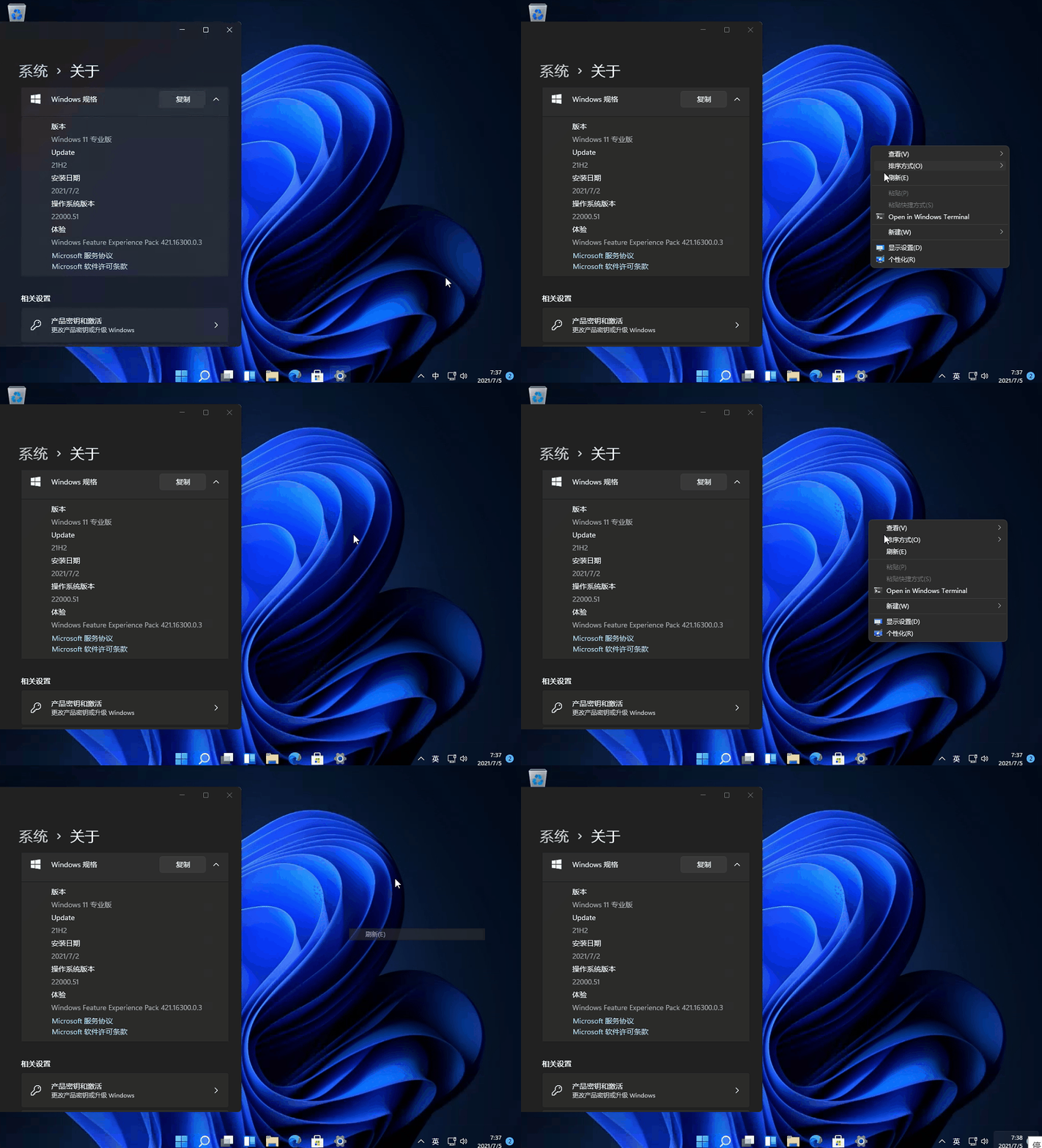




Win11右键菜单如何改回Win10?近期有用户刚给电脑升级了Win11系统,在后续的使用中,发现win11的右键菜单虽然把原来的一些功能整合到了一起,但是使用起来不是很习惯,那么有没有什么方法可以将Win11右键菜单恢复经典样式呢?下面我们来看看吧。
具体操作如下:
1、Win+R 运行,输入 Regedit,打开注册表编辑器。
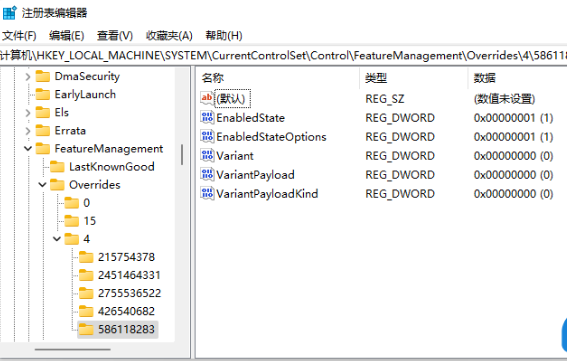
2、定位到 HKEY_LOCAL_MACHINESYSTEMCurrentControlSetControlFeatureManagementOverrides4 右击创建新的项,命名为 586118283
3、在创建的新项右侧窗格创建 5 个 DWORD 为:EnabledState、EnabledStateOptions、Variant、VariantPayload、VariantPayloadKind。这 5 个 DWORD 分别对应值见下图。
4、完成,重启电脑即可直接在 Win11 中呼出传统右键菜单。
使用后效果预览